

We recently took over a client’s Google Ads account and pulled the search terms report for the last 90 days before touching anything else.
214 clicks on terms they were already meant to be excluding. “Free,” “jobs,” “template,” “how to.” Words that look harmless scrolling past them in a report, until you add up what they cost over a year.
This isn’t a one off. It’s close to the default state of most B2B Google Ads accounts, because negative keywords get set up once when a campaign launches and then nobody touches them again. Meanwhile Google’s matching keeps evolving, and broad match keeps finding new ways to spend your budget on searches that were never going to convert.
Below is the full breakdown of where that spend leaks, and a free negative keyword list you can import into your account today.
What negative keywords actually do in a B2B account
A negative keyword tells Google not to show your ad for a specific search term or phrase. On the surface that sounds like a small technical setting. In practice, it’s one of the highest leverage things you can do in an account, because it directly controls how much of your budget goes toward searches that were never going to become a lead.
B2B accounts are particularly exposed to this because the buying group is small and specific, but the language people use to search around a topic is broad. Someone searching “what is marketing automation” and someone searching “marketing automation pricing for enterprise teams” can trigger the same keyword, at the same cost per click, with wildly different intent.
Negative keywords are how you separate the two.
The 8 categories quietly draining B2B budgets
Across the accounts we manage, the same eight categories show up again and again, regardless of industry. This is the starting list we apply before any new B2B account goes live.
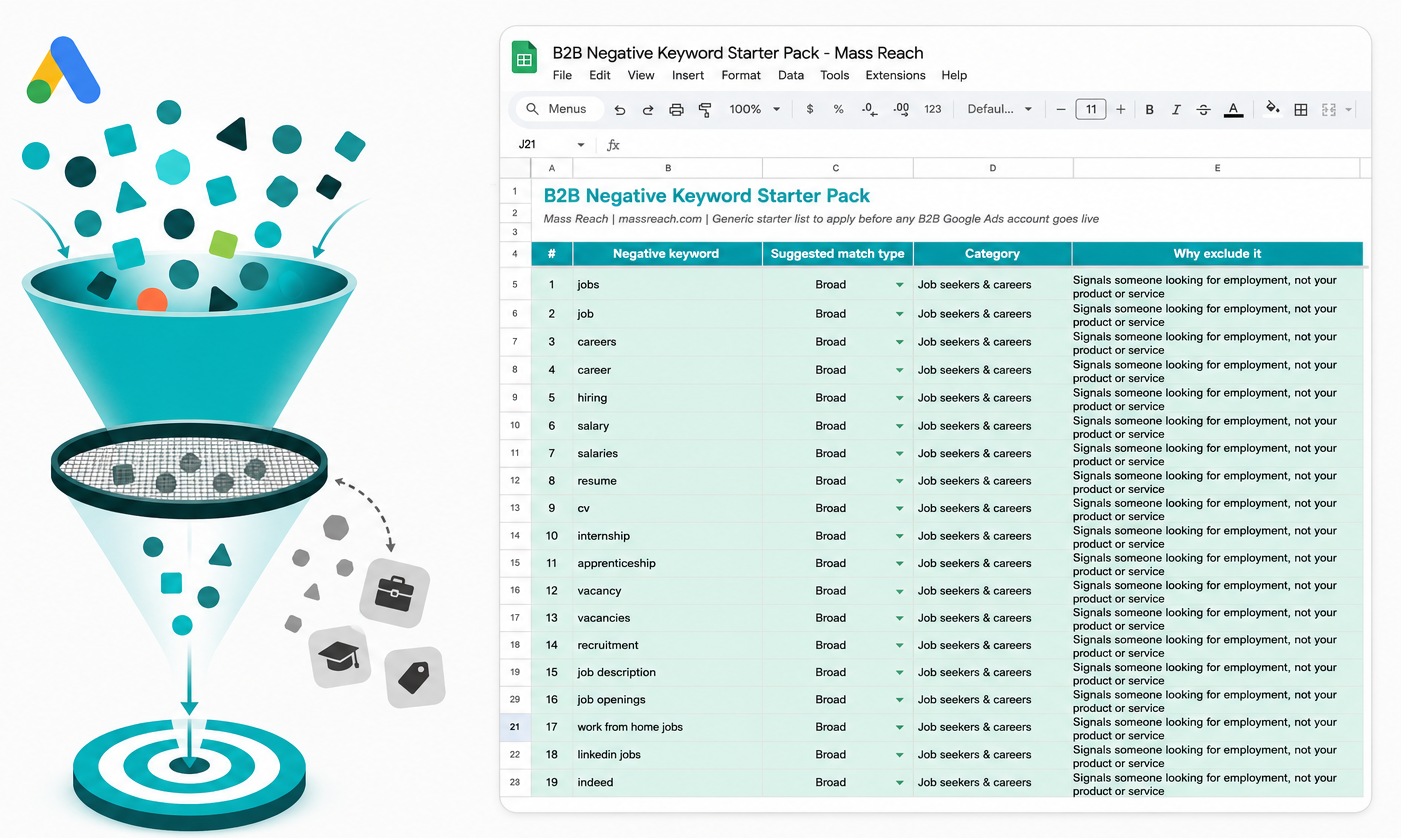
Job seekers and careers Terms like “jobs,” “careers,” “salary,” and “hiring” signal someone looking for employment, not a product or service. These queries share vocabulary with plenty of B2B categories (HR software, recruitment tools, staffing services) and burn spend fast if left unchecked.
Free and cheap seekers “Free,” “free trial,” “discount,” “cheapest.” Anyone actively searching for the free or lowest cost version of something is telling you upfront they’re not your buyer, at least not yet.
DIY and how-to research “How to,” “tutorial,” “template,” “for dummies.” This is someone trying to solve the problem themselves, not looking to hire or buy. Useful content marketing audience. Expensive paid search audience.
Reviews and comparison research “Review,” “vs,” “alternative,” “best.” Early stage research terms. Some of this traffic is valuable, but it’s usually better served by retargeting once you know who’s engaged, not by paying full price for a first click.
Definitions and irrelevant intent “What is,” “definition,” “meaning,” “wikipedia.” Informational searches with essentially no buying intent attached.
Student and academic “Thesis,” “dissertation,” “case study pdf,” “university.” A surprisingly consistent source of wasted spend on any account using broad industry terminology.
Existing customer support “Login,” “cancel subscription,” “customer service number.” These should route to your support channel, not your acquisition budget.
Low intent general “Images,” “clipart,” “memes,” “wallpaper.” Generic terms that occasionally slip through on broad match with no commercial signal at all.
We’ve put together the full list, over 120 terms across all eight categories, with suggested match types and the reasoning behind each exclusion, as a ready to import spreadsheet.
[Download the free B2B Negative Keyword Starter Pack →]
How to add a negative keyword list to Google Ads
- In Google Ads, go to Tools and Settings, then Shared Library, then Negative keyword lists.
- Create a new list and paste in your terms, setting the match type for each group as you go (broad, phrase, or exact).
- Apply the list to every relevant Search and Performance Max campaign. Using a shared list rather than pasting into individual campaigns means one update keeps every campaign current.
- Add your account specific negatives on top, competitor brand names, irrelevant product lines, and locations outside your service area.
For the full technical detail on list limits and match type behaviour, Google’s own documentation on negative keywords is worth a read alongside this.
If you’re also in the middle of adjusting bid strategies or migrating campaigns ahead of Google’s AI Max migration, this is a good moment to rebuild your negative list at the same time, since new campaign structures often mean old exclusions don’t carry over cleanly.
Negative keywords are never a finished job
A starter list solves the generic problem. It doesn’t solve your account’s specific problem, which shows up over time as new irrelevant queries appear in your search terms report.
Pull that report monthly. Anything burning spend without converting goes on the list. This single habit, more than almost any other account maintenance task, is what separates accounts with a slow budget leak from accounts that don’t have one.
Want your negative keywords, and the rest of your Google Ads account, properly managed? Book a free consultation with Mass Reach →
FAQs
How many negative keywords should a Google Ads account have?
There’s no fixed number. What matters is coverage, not volume. Most healthy B2B accounts settle somewhere between 150 and 400 negatives once generic and account specific terms are combined, though highly technical or niche industries can run higher.
Do negative keywords work the same way on Performance Max?
Partly. Performance Max supports account level negative keyword lists, but with more restrictions than standard Search campaigns. It’s worth checking your current PMax negative coverage separately rather than assuming your Search list carries over in full.
Will adding negative keywords reduce my impression share?
Slightly, and that’s the point. You’re trading impressions you were never going to convert for a cleaner, more efficient budget spent on the traffic that actually matches your offer.
How often should I review my negative keyword list?
Monthly, at minimum, using your search terms report. Accounts that grow or change offers frequently benefit from a biweekly review instead.